Last updated: 2026/6/22
Check and react to replies
In "@Mentions", you can view a list of @mentions and perform actions such as commenting and liking.
tip
For acquired posts, you can reply, repost, quote posts, and like. Scheduled posts are also possible. For details, please refer to Schedule a Post.
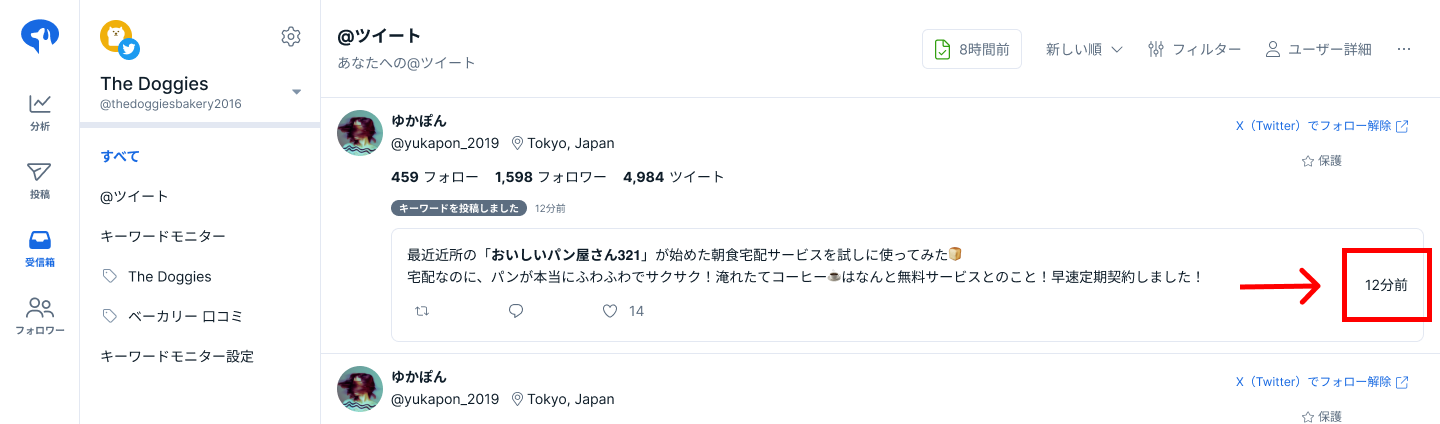
Open on the Social Media Post Page
Clicking the post time will take you to the X (Twitter) screen for that post.
Reorder Users
You can change the order of users.
For more details, please refer to Change the Order of Users.
Download CSV
For the list of users, you can obtain data as a CSV file.
For more details, please refer to Download CSV Data for Inbox, Followers, and Post Engagement.