Post overview (X)
In "Post overview", you can check basic performance information about your posts, such as "number of posts", "average engagements per post", "trends by Time of day", and "engagements by Hashtags".
In each graph and table, values are displayed on the day the post was made from your X (Twitter) Account. For example, if a reply to a post on July 1 is made on July 2, it will be displayed as a reply on July 1.
Analytics Items You Can View
In Impressions, you can view impressions for your Posts.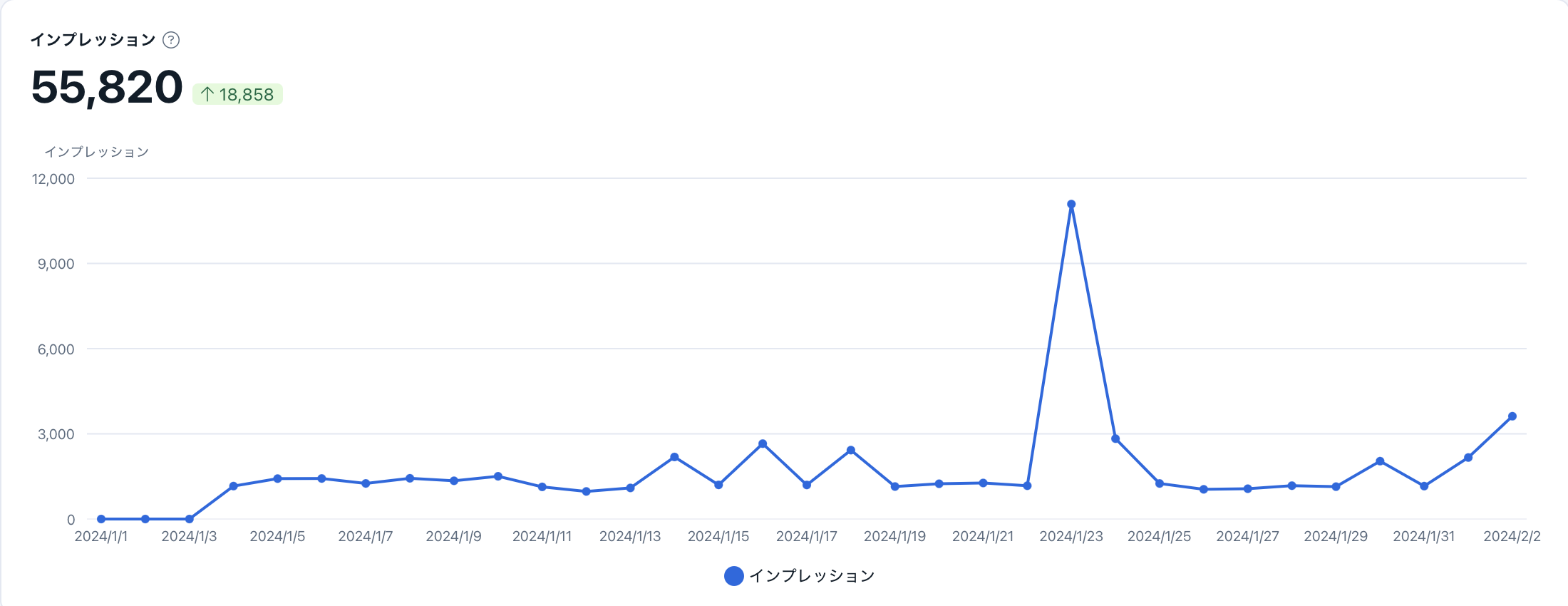
- Post overview
- Impressions
- Average engagements
- Type of Posts
- Media Ratio
- Average Engagements by Media Type
- Link Presence Ratio
- Average Engagements by Link Presence
- Hashtag Presence Ratio
- Average Engagements by Hashtag Presence
- Average Engagements by Hashtags
- Posts by Time of Week
- Frequently used words
Post overview
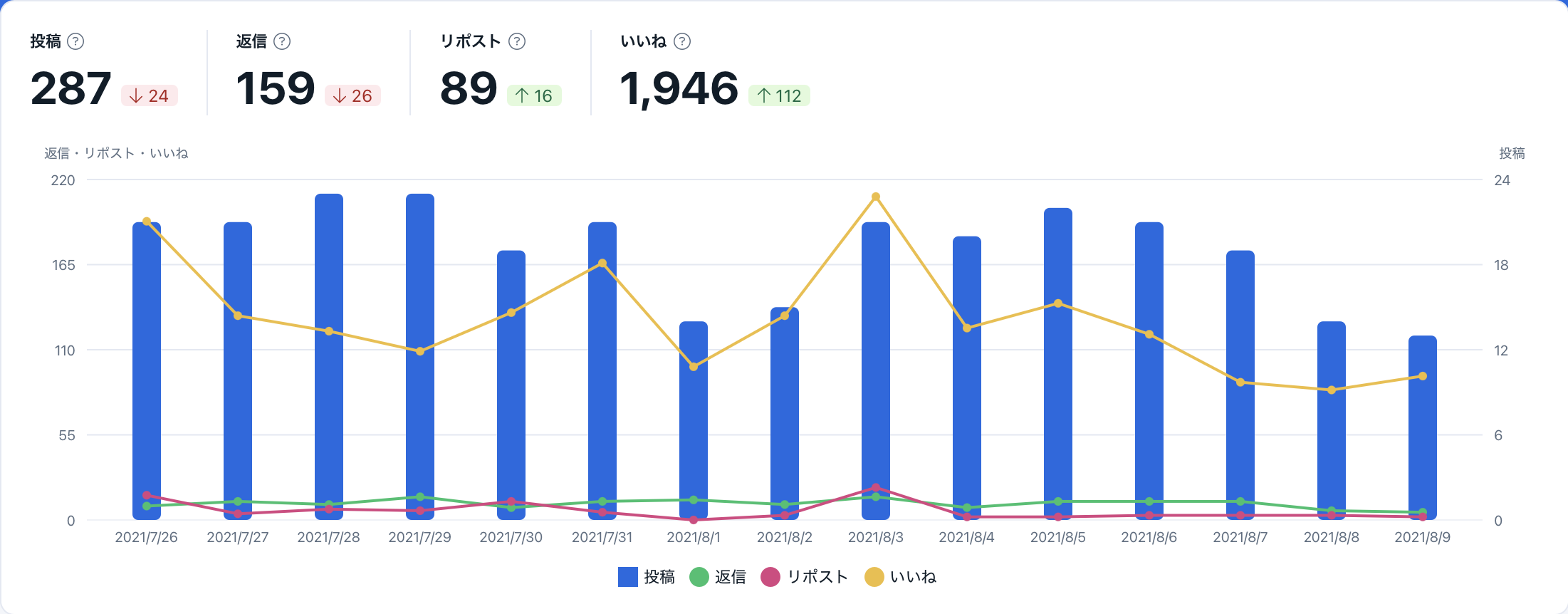
In "Post overview", you can check data for your "number of posts", "number of Replies", "number of Reposts (retweets)", and "number of Likes" in a graph.
Impressions
In "Impressions", you can view impressions for your Posts.
Values are displayed on the day the post was made from your Social profile. For example, if impressions for a post on July 1 are gained on July 2, they will be displayed as impressions on July 1.
Average engagements
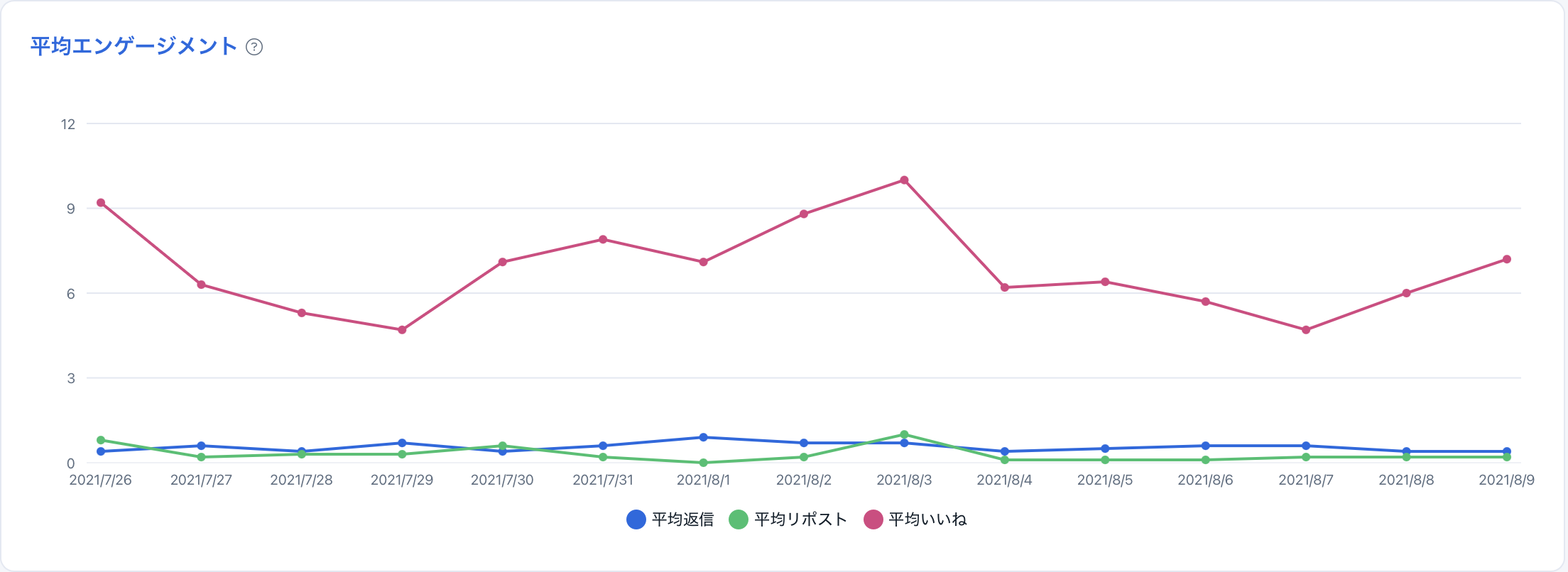
In "Average engagements", you can view the transition of average engagements per Post in a graph. By clicking the Title, you will be taken to the Analytics page for Average engagements.
Type of Posts
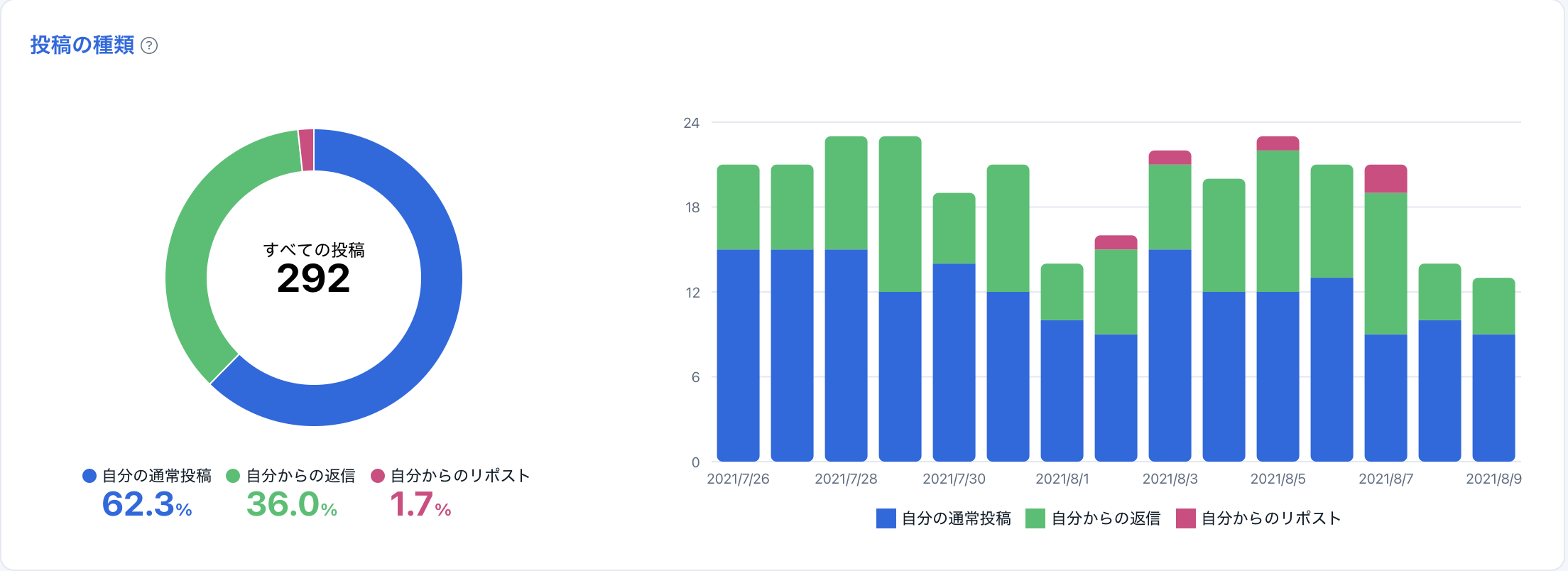
In "Type of Posts", you can check the number of your Posts by type. Posts are categorized into the following three types:
- My normal posts
- My replies
- My reposts (retweets)
Media Ratio
In "Media", you can view the ratio of the presence or absence of media in your Posts in a graph.

Average Engagements by Media Type
In "Average Engagements by Media Type", you can check "average number of Replies", "average number of Reposts (retweets)", and "average number of Likes" for each media type. You can quickly see the media types with high Engagements.

Link Presence Ratio
In "Link", you can view the ratio of the presence or absence of links in your Posts in a graph.

Average Engagements by Link Presence
In "Average Engagements by Link Presence", you can check "average number of Replies", "average number of Reposts (retweets)", and "average number of Likes" by link presence.

Hashtag Presence Ratio
In "Hashtags", you can view the ratio of the presence or absence of Hashtags in your Posts in a graph.

Average Engagements by Hashtag Presence
In "Average Engagements by Hashtag Presence", you can check "average number of Replies", "average number of Reposts (retweets)", and "average number of Likes" by Hashtag presence in your Posts.

Average Engagements by Hashtags
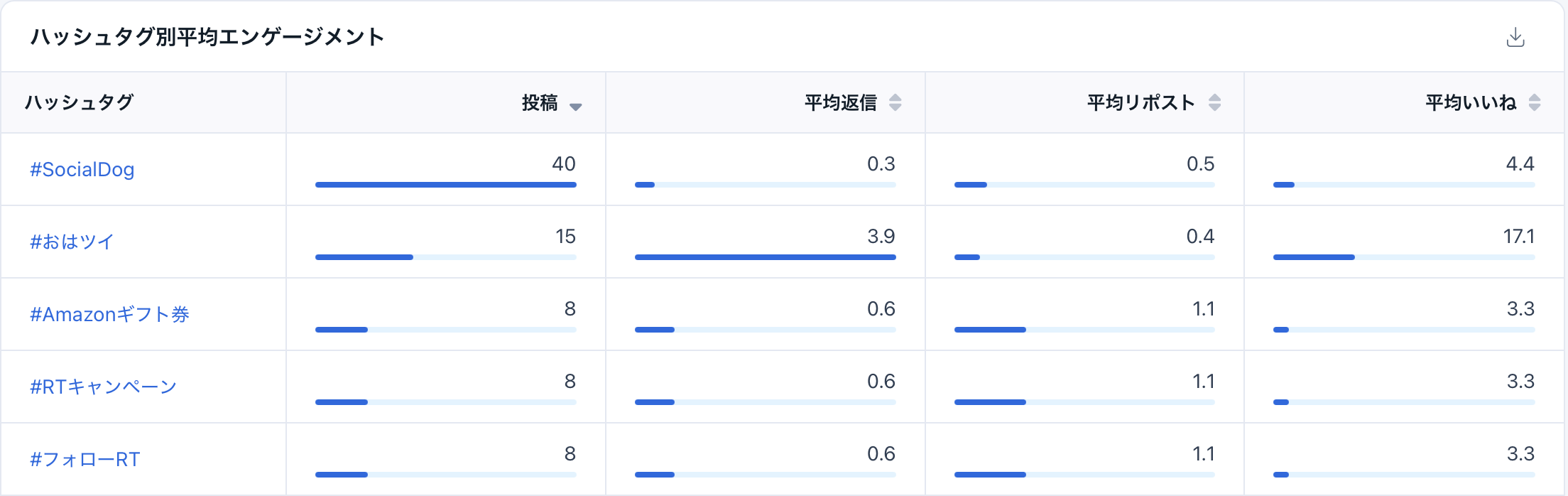
In Average Engagements by Hashtags, you can check the "number of Posts", "average number of Replies", "average number of Reposts (retweets)", and "average number of Likes" for each Hashtag used in a table format.
Posts by Time of Week
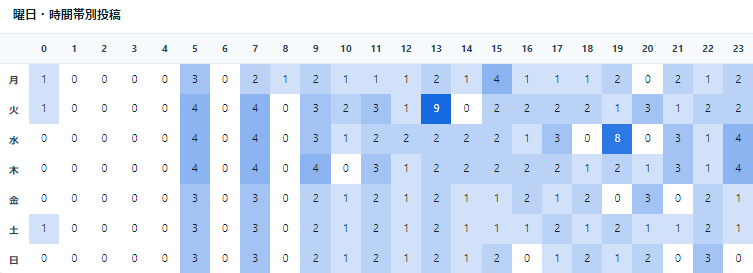
In "Posts by Time of Week", you can check the Time of week you posted in a table format.
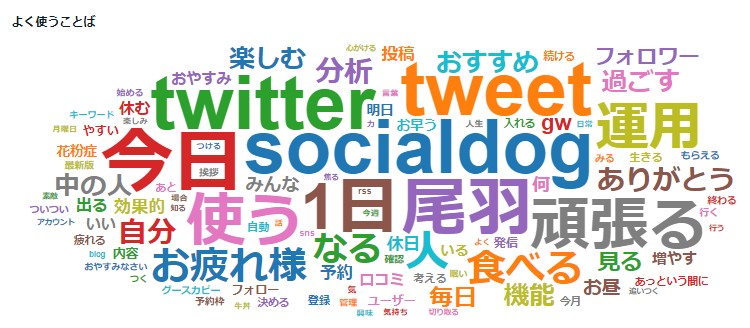
Frequently used words
In "Frequently used words", you can check the words you frequently post. The more frequently a word is used, the larger it will appear.