Time of week (X)
In "Time of week", you can check your Post data by Time of week. You can use this to identify the Time of week with high Engagements and create Posts that achieve high Engagements.
Time of week refers to the Time of week when the Post was published. Please note that this does not refer to the Time of day when your Post was Reposted (Retweeted) or Liked.
Analytics Items Available
- Most Reposted Post Time of day
- Most Liked Post Time of day
- Most Frequently Posted Time of day
- Posts by Time of week
- Replies by Time of week
- Reposts by Time of week
- Likes by Time of week
- Engagements by Time of week
- Average Engagements by Time of week
Most Reposted Post Time of day
In "Most Reposted Post Time of day", you can check the Post Time of week when your Posts received the most Reposts (Retweets).

Most Liked Post Time of day
In "Most Liked Post Time of day", you can check the Post Time of week when your Posts received the most Likes.

Most Frequently Posted Time of day
In "Most Frequently Posted Time of day", you can check the Time of week when you posted most frequently.

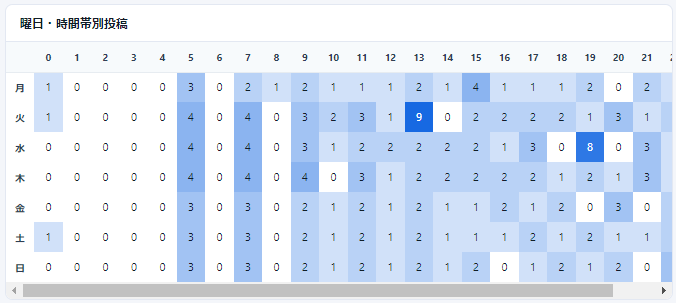
Posts by Time of week
In "Posts by Time of week", you can check the Time of week when you posted in a table format.
Replies by Time of week
In "Replies by Time of week", you can check the Time of week when your Posts received Replies in a table format.

Reposts (Retweets) by Time of week
In "Reposts (Retweets) by Time of week", you can check the Time of week when your Posts were Reposted (Retweeted) in a table format.

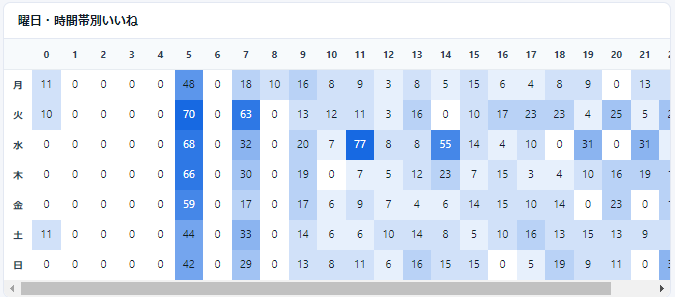
Likes by Time of week
In "Likes by Time of week", you can check the Time of week when your Posts received Likes in a table format.
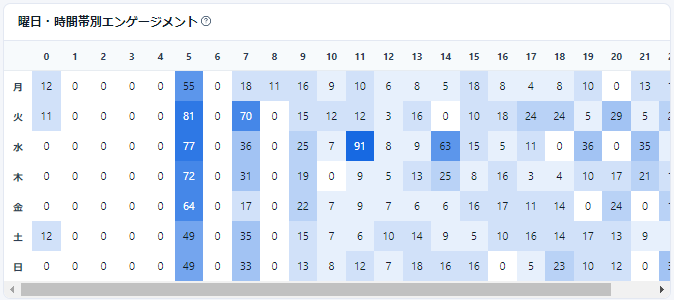
Engagements by Time of week
In "Engagements by Time of week", you can check your Post Engagements by Time of week in a table format.
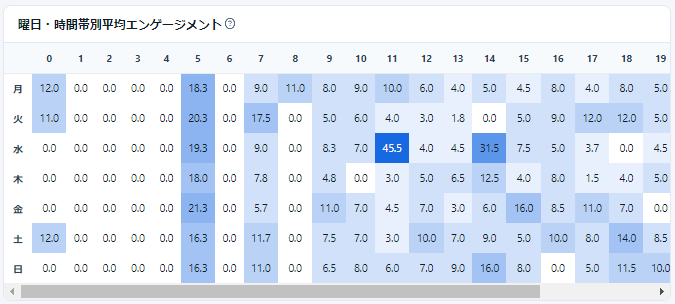
Average Engagements by Time of week
In "Average Engagements by Time of week", you can check the average Engagements for the period by Time of week in a table format.