Followers (X)
In "Followers", you can check data about your followers.
This article explains the "Followers" screen of the Analytics feature.
For details on listing, displaying, filtering, and sorting followers, please refer to Managing Followers | SocialDog Help.
Analytics Items You Can View
- Follower count changes
- Follower count
- Follower attributes
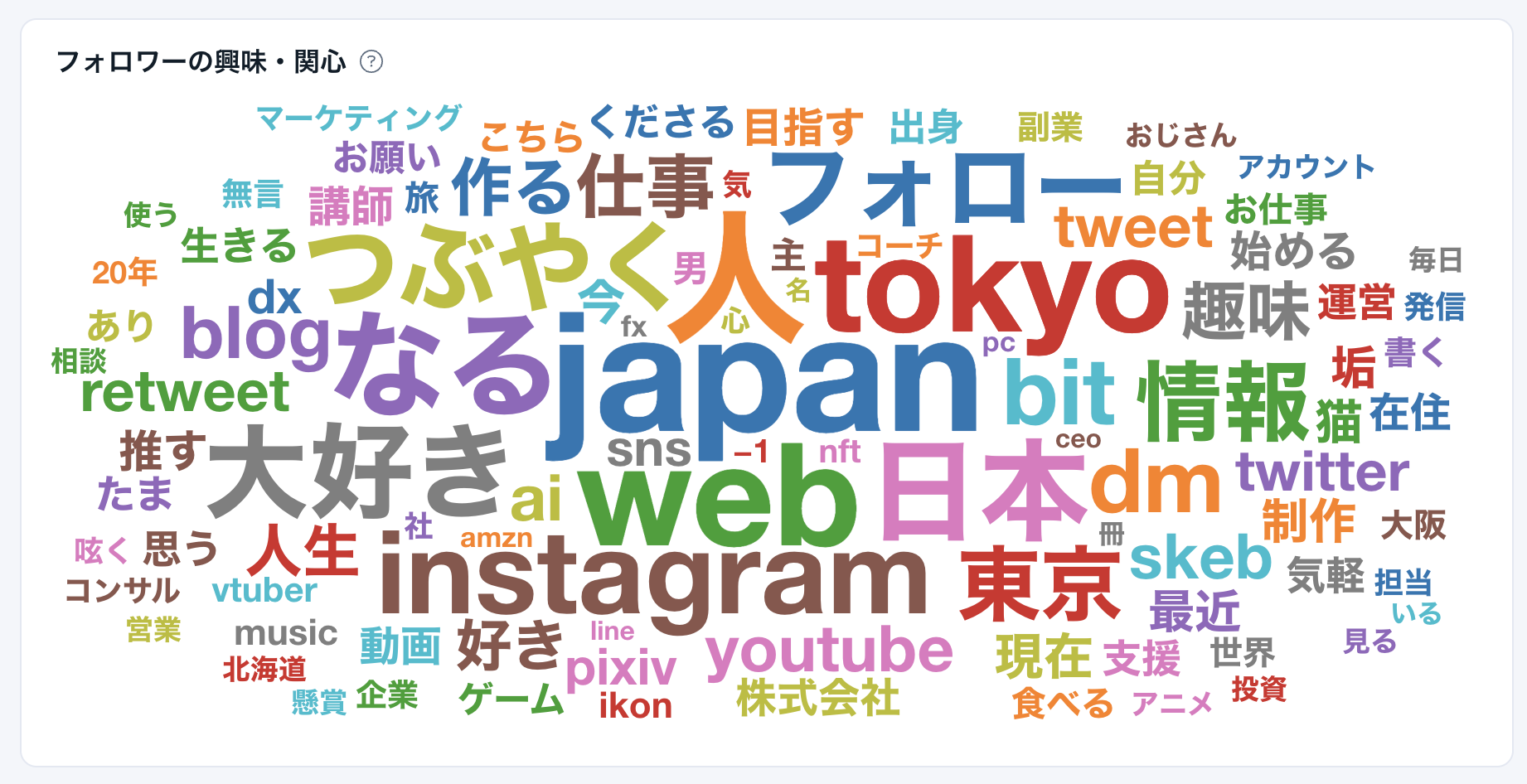
- Follower interests
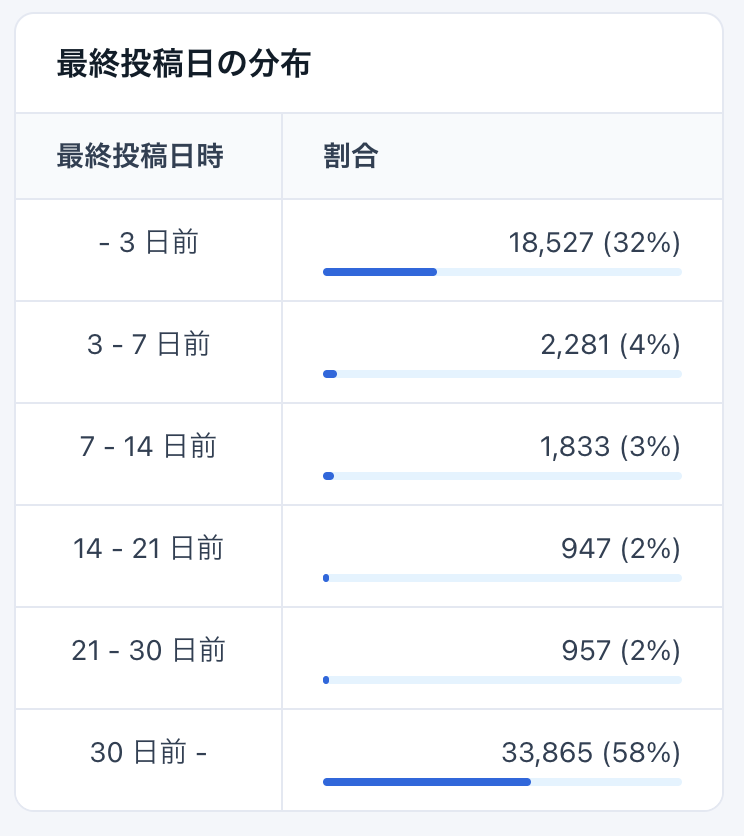
- Distribution of last post dates
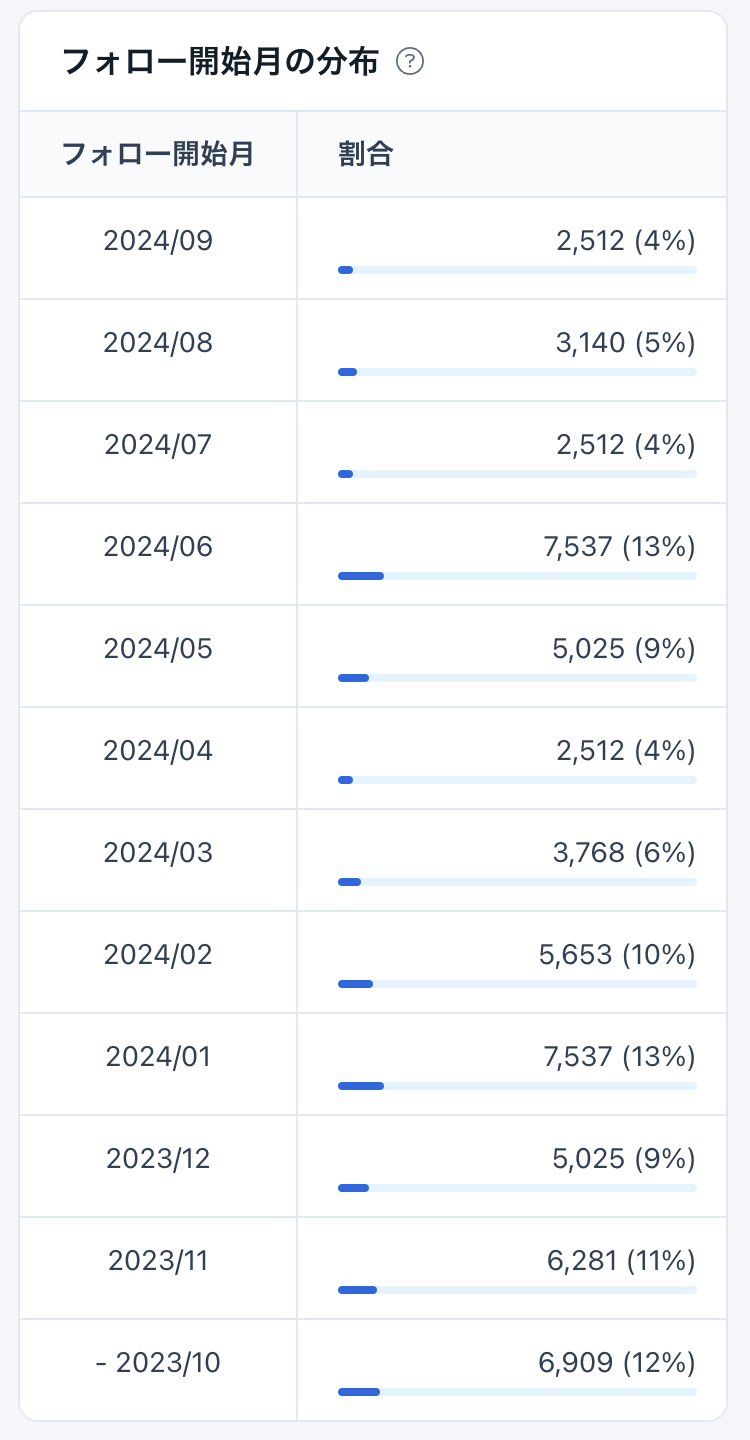
- Distribution of follow start months
The "Followers" screen continues to display the following:
- Public/Private
- Follower count
- Following count
- Post count
- Lists
- Likes count
- Follower/Following ratio
- X (Twitter) Account creation date
- Follow/Unfollow dates
The analytics features for beta data ("Gender", "Age", "Bot/Human", "Adult/Normal", "Ad/Normal") were discontinued on May 20, 2024.
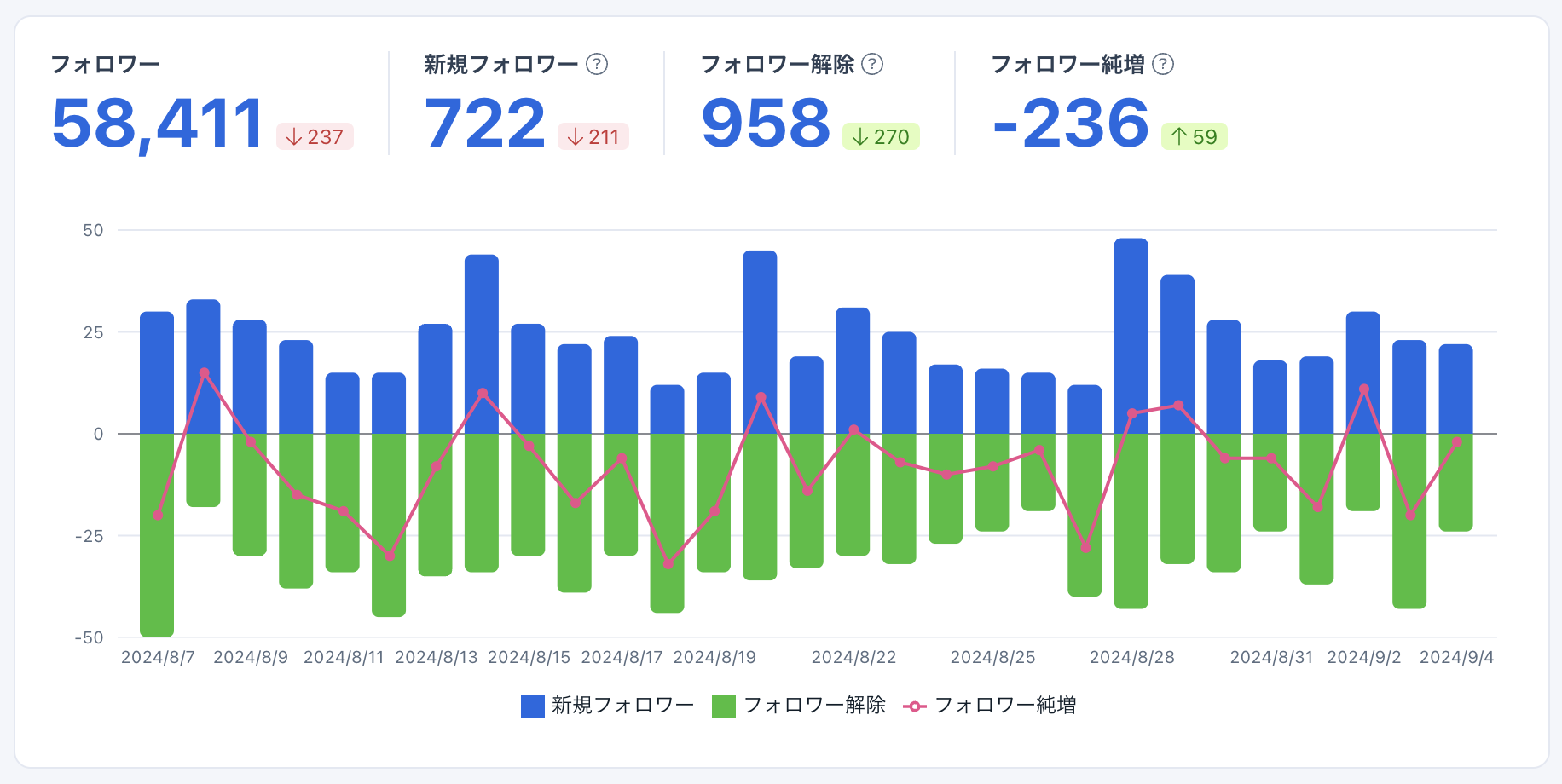
Follower Count Changes
You can check data for "New followers," "Unfollows," and "Follower increase" in a graph.
- When a follower is frozen, it is also counted as an unfollow. When a follower is unfrozen, they are counted as a new follower. Due to X (Twitter) API restrictions, it is not possible to distinguish whether an unfollow is due to a freeze.
- The data acquisition timing for new followers, unfollows, new follows, and unfollows differs from the data acquisition timing for follower counts and following counts. Therefore, there may be discrepancies in these numbers.
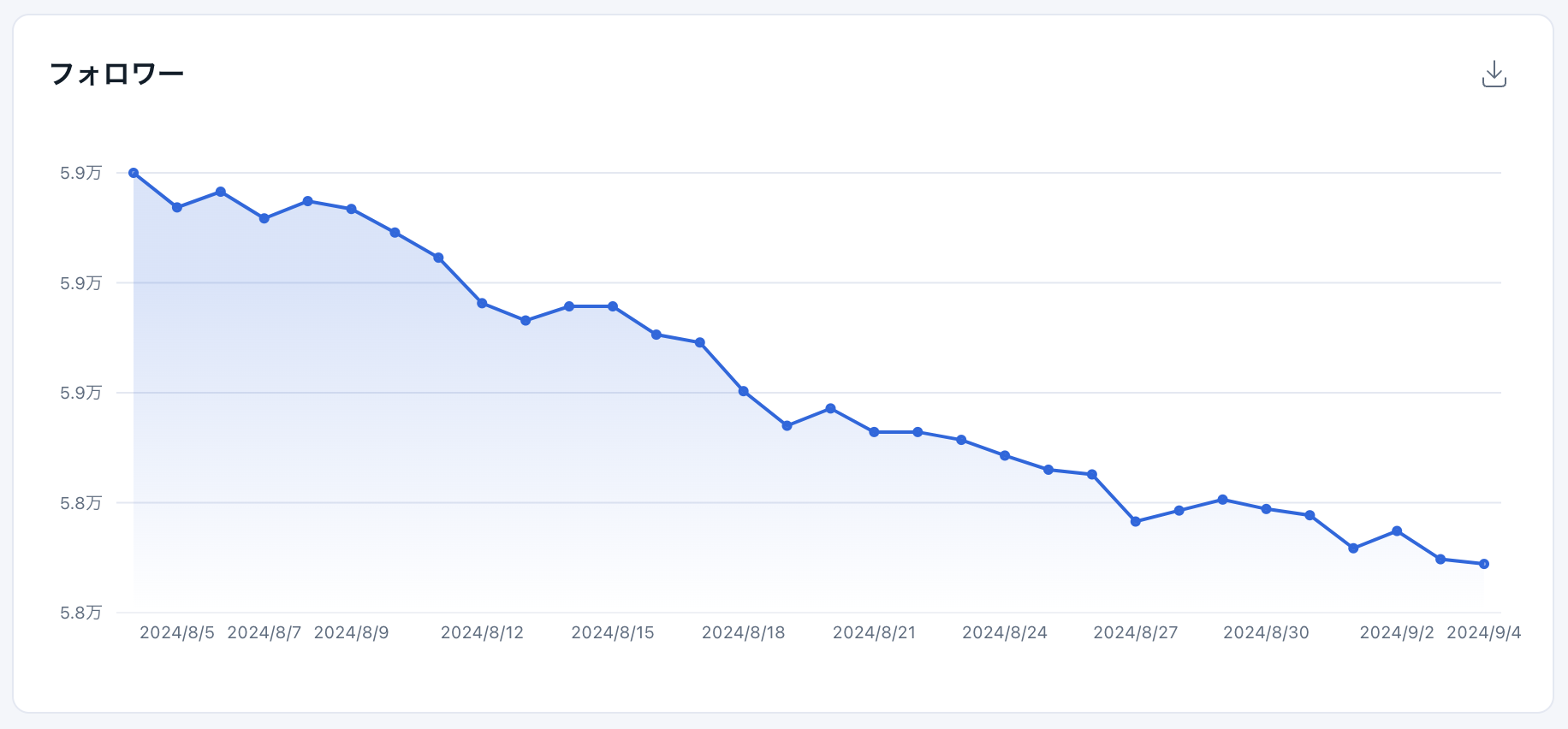
Follower Count
In "Followers," you can check the trend of follower count in a graph.
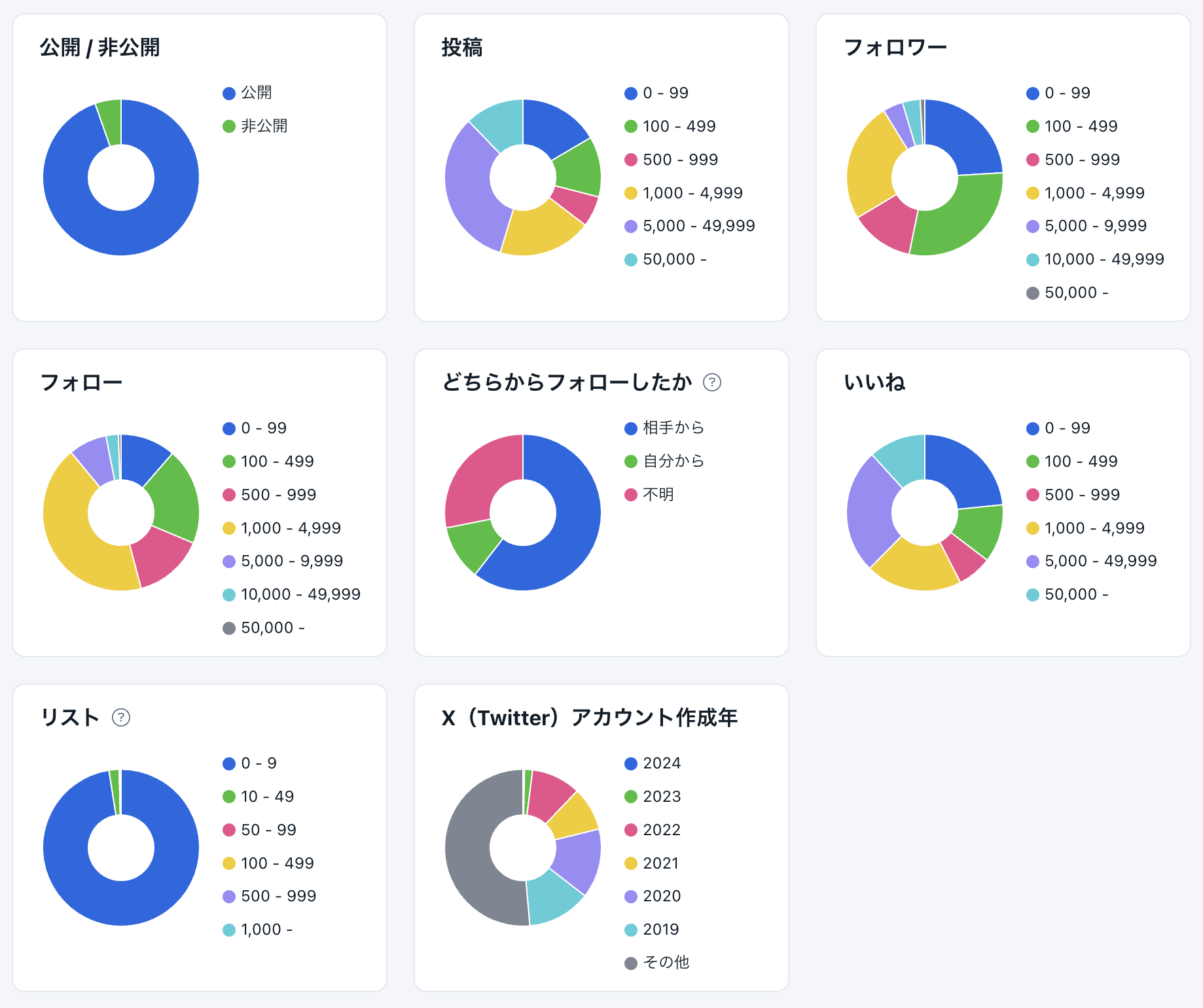
Follower Attributes
You can check the following metrics in a pie chart.
- Ratio of public accounts / private accounts
- Distribution of post count
- Distribution of follower counts of followers
- Distribution of following counts of followers
- Ratio of who initiated the follow (by them, by you, unknown)
- Distribution of likes counts of followers
- Distribution of list counts of followers (number of lists they are added to)
- Distribution of X (Twitter) account creation years
Follower Interests
In "Follower Interests," you can check frequently used words in followers' names, locations, and descriptions in a word cloud format.
Distribution of Last Post Dates
In "Distribution of Last Post Dates," you can check the distribution of followers' last post dates in a table format.
Distribution of Follow Start Months
In "Distribution of Follow Start Months," you can check the distribution of the months followers initiated a follow in a table format. You can only check data after they registered with SocialDog.
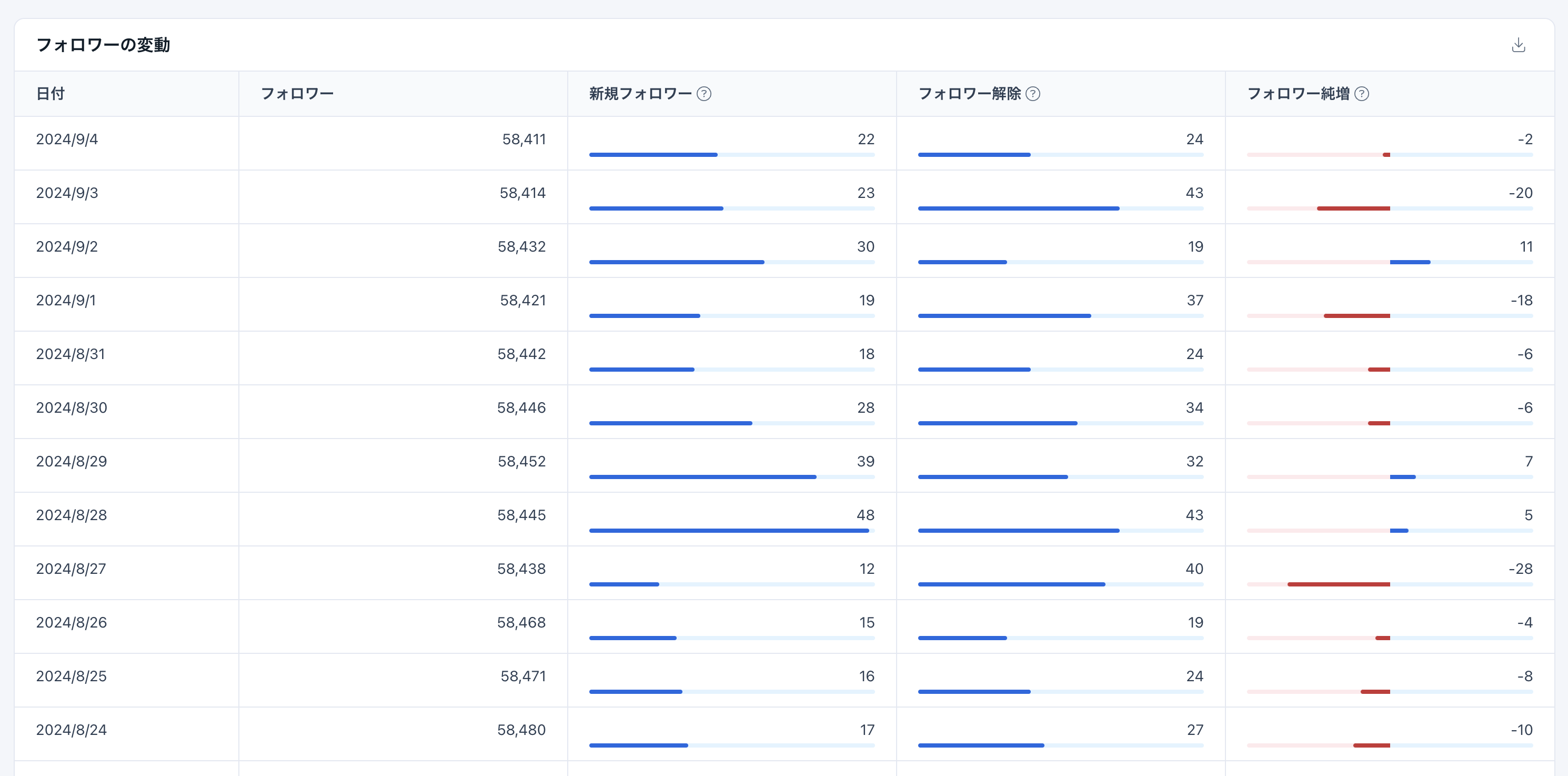
Follower Fluctuations
In "Follower Fluctuations," you can check data for "Follower count," "New followers," "Unfollows," and "Follower increase" in a table format.