Last updated: 2026/9/18
Follow (X)
In "Following", you can check data about users you are following.
tip
This article describes the "Following" screen of the Analytics feature.
For information on listing, displaying, filtering, and sorting Following, please refer to Managing Followers | SocialDog Help.
Analytics Items That Can Be Displayed
- Changes in Following Count
- Following Count
- Fluctuations in Following
Changes in Following Count
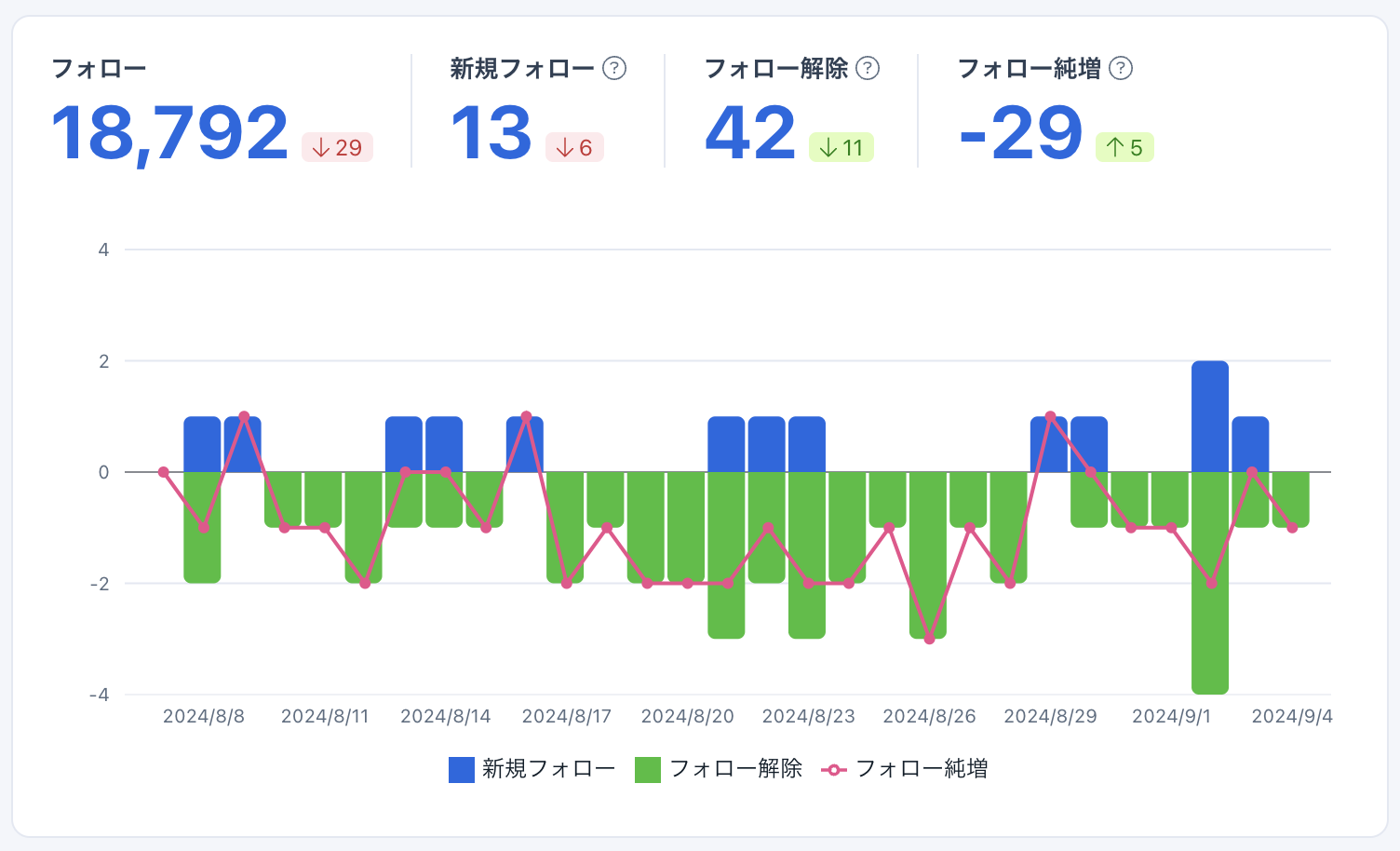
You can view data for "New Follows," "Unfollows," and "Following increase" in a graph.
- If users you are following are suspended, they are counted as unfollows. If users you are following are unsuspended, they are counted as new follows. Due to X (Twitter) API restrictions, it is not possible to distinguish whether an unfollow is due to suspension.
- The data acquisition timing for New followers, follower unfollows, new follows, and unfollows differs from the data acquisition timing for follower counts and following counts. Therefore, there may be inconsistencies in these figures.
Fluctuations in Following
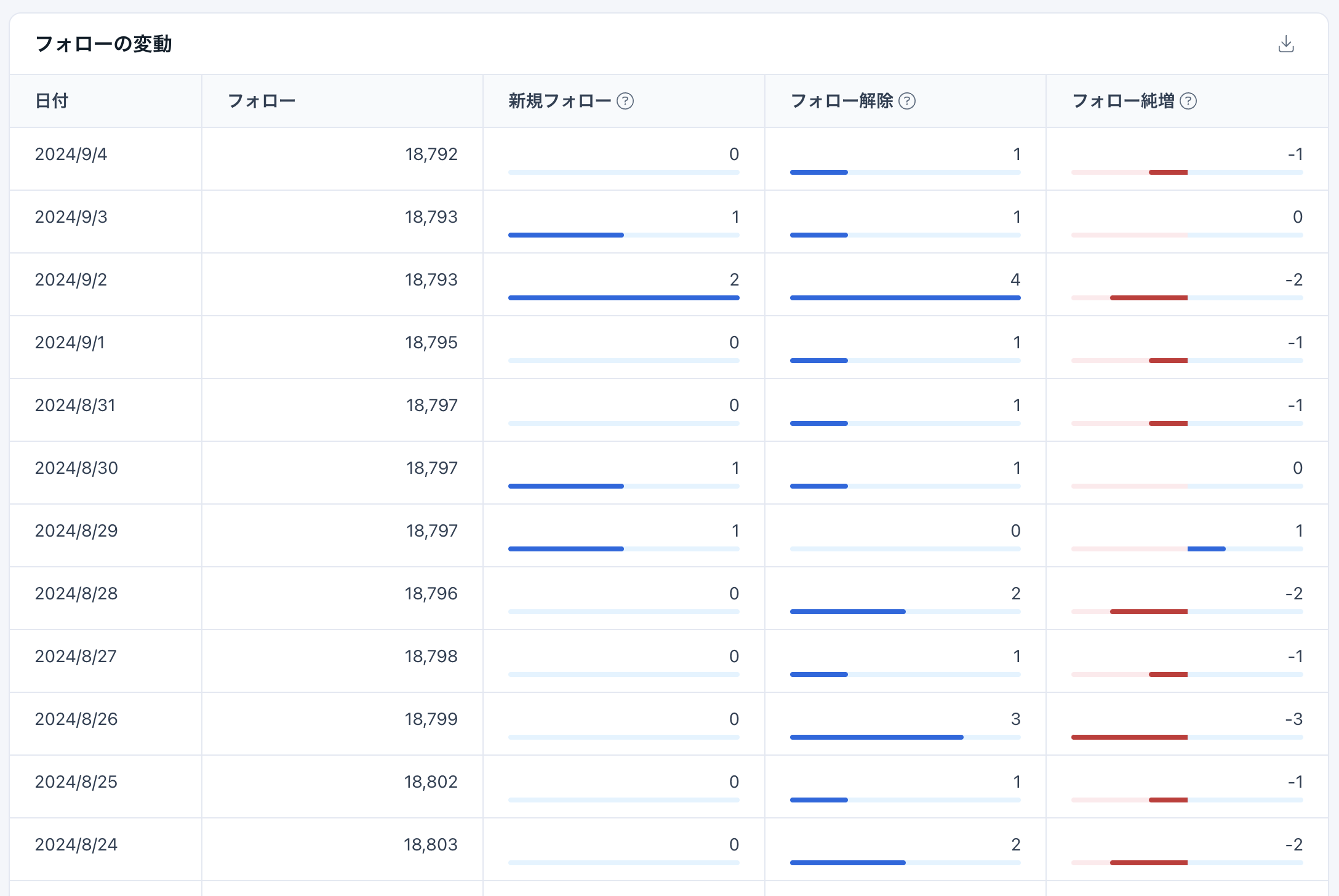
In "Fluctuations in Following", data for "Following Count," "New Follows Count," "Unfollows Count," and "Following increase Count" can be viewed in a table format.